

opalsTask

To process large amounts of data using multiple computers/machines, opals uses the ipyparallel framework. To see how to set up ipp (ipypyarallel) controllers and engines, please see the documentation of multi machine processing in opals using opalsTask.

Motivation

Due to the fact that multiple machines are involved in the processing, the input files need to be accessible for every participating computer. In order to make use of the local processing power, the input files necessary for a certain task should be copied to a temp directory of the assigned machine, then computed locally and finally copied back to the shared network. In opals, opalsTask was implemented to handle the above described process of creating temp directories and copying files in the background. Within opalsTask, there are Jobs and Tasks, which will be explained in the next sections.

Example of a workflow script in "task-mode"

The following code should demonstrate how to use opalsTask in order to create an opals workflow script that can be excecuted and distributed to multiple machines. The prerequisite for the following code to work is that an ipp controller as well as engines are set up as described here.

from opals import Import, Grid, Algebra
from opals.tools import processor
from opals.Types import Path
from opals import Task
from opals.tools.createdir import createdir
if __name__ == '__main__':
# First the input Files are specified
working_dir = Path(r"X:\students\fhackstock\ippDemo") # path to your working directory needs to be set
fileNames = ["strip11.laz", "strip12.laz", "strip21.laz", "strip22.laz", "strip31.laz", "strip32.laz"]
inFiles = [working_dir / inFile for inFile in fileNames]
cfgFile = working_dir / "DemoWorkflowScript.cfg"
workflow_script_name = "DemoWorkflowScript"
outdir = working_dir / "DemoOutput"
outImport = outdir / "Import"
outGrd = outdir / "Grid"
outMosaic = outdir / "Mosaic"
for dir in [outdir, outImport, outGrd, outMosaic]:
createdir(dir)
# an ipp processing object is instantiated. Before this script is run, a controller and engines need to be set up as
# explained in the opals multiprocessing documentation.
proc = processor.ipp()
# First, a job is set up. The purpose of the job is to set up the temp directory on every computer that a task is assigned to as well
# as copy job infiles that are necessary for all tasks (e.g. a DSM covering the entire processing area).
job = Task.Job(job_id=workflow_script_name, # job_id: specifies what the temp job folder is named. Usually the name of the workflow script.
job_cfg=cfgFile, # job_cfg: The job_cfg is also copied to the temp folder so that all machines are working with the same cfg file
job_outdir=outdir, # job_outdir: Name of the output directory of the script
task_infiles=inFiles, # task_infiles: the job prepares the temp paths for the task_infiles
job_infiles=[], # job_infiles: in our case there are no files relevant to all tasks.
direct_file_access=False, # direct_file_access: We want the tasks to be copied to the local temp folder and processed there, therefore
# this flag is set to false
processor_type=type(proc)) # processor_type: This is so that the Job knows what type of processing is
# done (local, multiprocessing, ipp). This has organisatorical relevancy.
# When the job is instantiated, it automatically generates paths to the temp folder using the placeholder %OPALS_TEMP.
# for every infiles/cfg category, two new member variables are created. e.g. task_infiles_orig and task_infiles_temp
# task_infiles_orig = [X:\students\fhackstock\ippDemo\strip11.laz, ...]
# task_infiles_temp = [$OPALS_TEMP/DemoWorkflowScript/$OPALS_TASK/strip11.laz, ...]
# The placeholders $OPALS_TEMP (local temp directory) and $OPALS_TASK (task-id) are resolved at the time of the module run.
# Now that the job is set up, we can start thinking about tasks. We want to first Import the files into an ODM and then run opalsGrid on that file.
# In this case, a task consists of all the calculations relevant to one of the strip infiles.
# So we can loop over the infiles and create a task for each file and submit it to the ipp processor.
for idx, (fn, orig_fn) in enumerate(zip(job.task_infiles_temp, job.task_infiles_orig)):
task = Task.Task(job=job, # every task needs a job so that information about things like cfg files or job outdirs are known
task_id=fn.stem(), # the task id determines the name of the folder in the temp directory where the calculations are done.
task_infile=orig_fn, # the file necessary for processing. This file must lie on a shared network so that
# it can be copied by another machine.
direct_file_access=False) # We want the tasks to be copied to the local temp folder and processed there, therefore
# this flag is set to false
imp = Import.Import(lateValidation=True) # since placeholders are in filenames which are only resolved when the module is run, lateValidation
# needs to be activated
imp.inFile = fn # == $OPALS_TEMP/DemoWorkflowScript/$OPALS_TASK/strip11.laz
imp.commons.cfgFile = job.job_cfg_temp[0] # == $OPALS_TEMP/DemoWorkflowScript/cfg/DemoWorkflowScript.cfg
imp.outFile = f"$OPALS_TEMP/{job.job_id}/$OPALS_TASK/{fn.stem()}.odm"
task.add(imp,
finalDestination=outImport, # where the outputfile should be copied to
finishedText=f"*** Import: {idx + 1}/{len(job.task_infiles_temp)} done. ***") # text that is printed when finished.
# Now we can add another module to the task before submitting it.
grd = Grid.Grid(lateValidation=True)
grd.inFile = imp.outFile # This is still in the temp directory
grd.commons.cfgFile = job.job_cfg_temp[0]
grd.outFile = f"$OPALS_TEMP/{job.job_id}/$OPALS_TASK/{fn.stem()}.tif"
task.add(grd,
finalDestination=outGrd,
finishedText=f"*** Grid: {idx + 1}/{len(job.task_infiles_temp)} done. ***")
# When all the desired modules are added to the task, it can be submitted to the processor where it is distributed
# to available engines on the different participating machines.
proc.submit(module=task,
finishedText=f"*** Task: {idx + 1}/{len(inFiles)} done. ***",
userData=task.task_id)
proc.join() # This is so that the processor waits for all tasks to finish.
print("Script ran succesfully!")

When running this script, the 6 tasks (one for each input strip file) are distributed among the engines by the controller and then executed. In Figure 1, one can see that this particular engine handled tasks 1 and 5, the module runs for strip11 and strip31, respectively. The python output of the DemoWorkflowScript run can be seen in Figure 2.

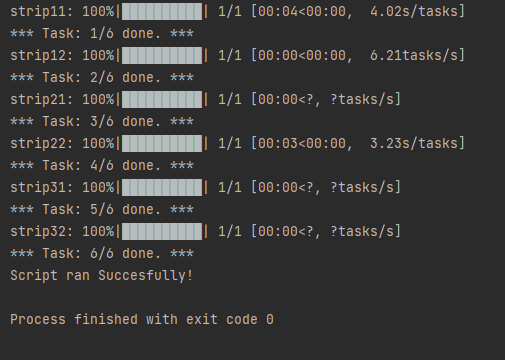
Fig. 1: Example of an engine output.
Fig. 2: Python output when running the DemoWorkflowScript.

In Figure 3, the temp folder where the processing happens is depicted. One can see that the processing happens in a sort of "flatmode" where all the outputfiles of a task are in the same folder.
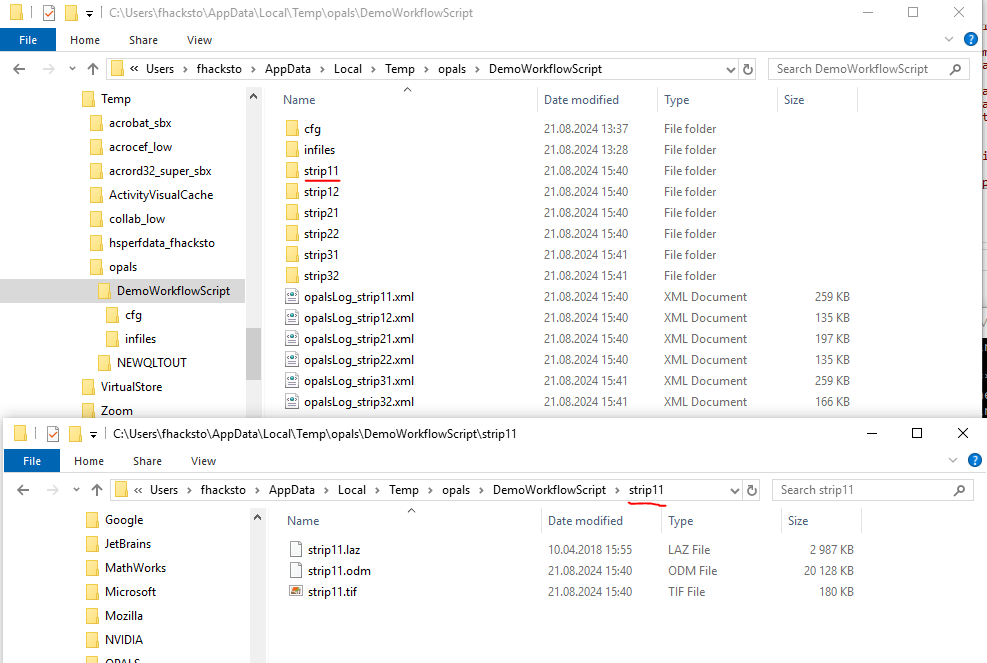
Fig. 3: local temp folder.

In our case we want all the Import results and Grid results in their own folders, which is what is depicted in Figure 4.
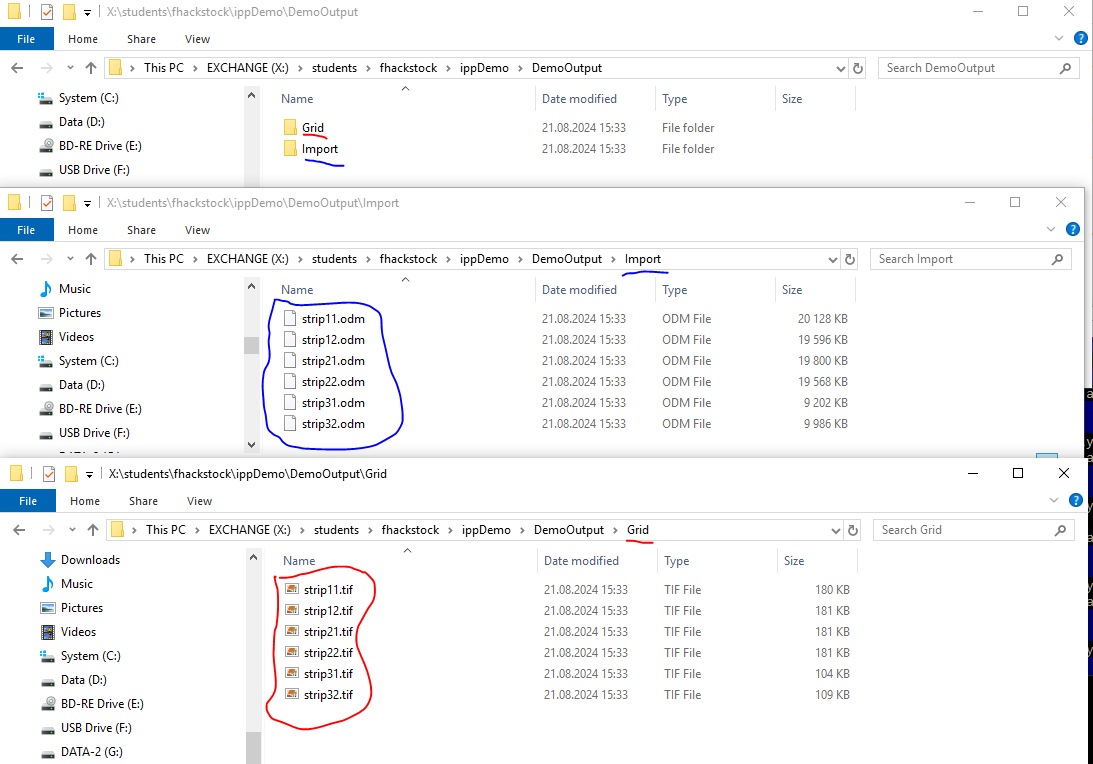
Fig. 4: final destination on the shared network.

Background information about Jobs and Tasks

While the script above provides information about how to set up a workflow script to execute tasks, some background information about opalsTask might be interesting. A job has the main function to prepare the temp folder on a given machine and copy relevant files such as cfg or job infiles. We call this the Job Prephase . In case a task has been run on a certain machine, the job folder has already been created and the Job Prephase is therefore skipped. Every task also has a Task Prephase , where the task folder within the job folder is created and the task infile is copied. In the so called Task Mainphase all the opals modules of a task are simply excecuted one after the other. Finally in the Task Postphase , the output files are copied to the final destination and the task directory is emptied in order to save disc space. So whenever a task is executed, the phases are run in the following order:

  • 1. Job Prephase (creating temp job folder and copying cfgFile and job infiles)
  • 2. Task Prephase (creating temp task folder and copying task infiles)
  • 3. Task Mainphase (running opals modules)
  • 4. Task Postphase (copying result files and emptying temp directory)
Process opals jobs using the ipyparallel (ipp) framework.
Definition: processor.py:540